Weak Passwords Just Exposed 8.8 Million People. Is Yours on the List?
Last week, Denmark disclosed that the names, addresses, and ID numbers of about 8.8 million people were pulled from its national population register. That is more people than Denmark has residents, because the register also holds records for people who moved away or passed on. According to reports, the attackers did not need anything fancy. One small company had legitimate access to the register, and one account tied to that access was reportedly protected by the password “123456.”
I read that and thought of every small business I walk into. Not because you run a national database, but because the same weak link is sitting in your office right now: the password.
What actually happened
One easy door, millions of records
The company’s access was used for more than 14 million lookups over about ten days. Nobody noticed until the register’s own billing showed unusual activity. That detail matters. Weak passwords don’t just let attackers in, they let them in quietly.
The same story is happening to firewalls
In the same week, researchers reported more than 86,000 working logins for Fortinet firewalls and VPNs exposed across 194 countries. Attackers collected them using brute force (guessing) and credential stuffing, which means trying passwords leaked from one site on many others. If you have ever reused a password, that is the game being played against you.
Why this matters for a business your size
Attackers don’t pick targets by size. They run automated tools that try millions of combinations and wait for something to open. A small business with a shared “Office2024!” password on its email, accounting software, and Wi-Fi is exactly the kind of easy result those tools find.
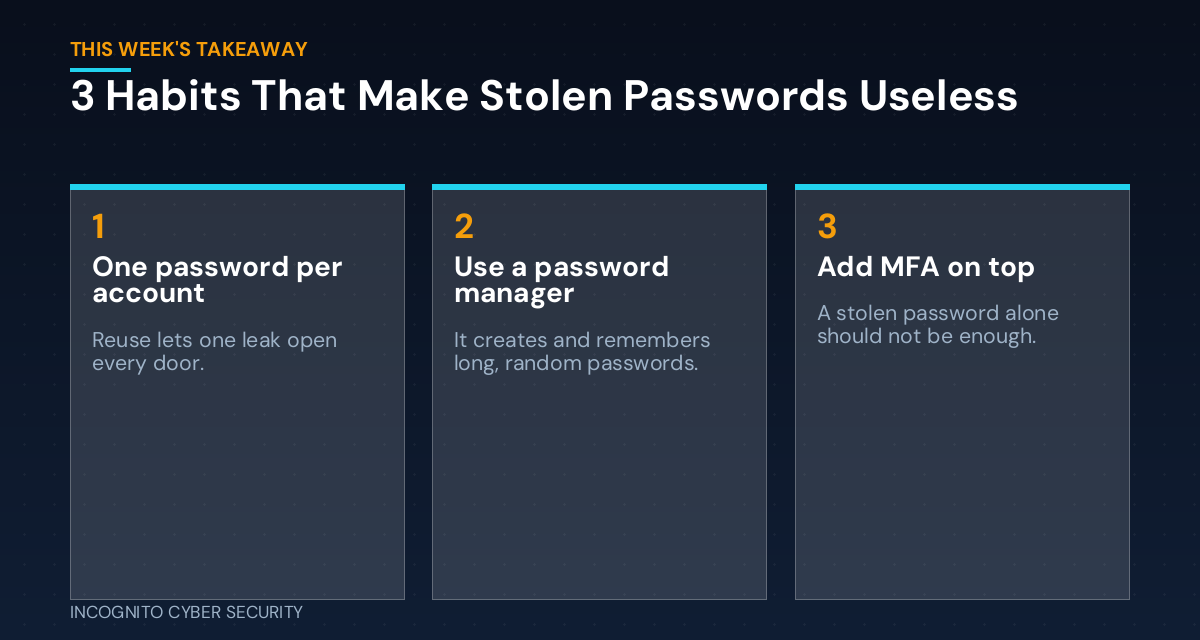
Three habits cause most of the damage:
- Reuse. The same password on five accounts means one leak opens five doors.
- Predictable patterns. Company name plus a year, a pet’s name, or a keyboard run like “qwerty” are on every attacker’s list.
- Sharing. Passwords texted, emailed, or stuck on a sticky note never really go away when an employee leaves.
The fix is boring, and that is the point
Let a password manager do the remembering
Nobody can remember 60 long, random passwords. A password manager can. It creates a unique password for every account, fills it in for you, and you only remember one strong passphrase. Your staff will actually use it because it is faster than typing, and that matters more than any policy memo. It also lets you share logins safely and cut off access in one click when someone leaves.
Turn on MFA wherever it is offered
Multi-factor authentication means a stolen password alone is not enough. Start with email, banking, accounting software, and anything with remote access. I covered how to pick the strongest kind in our post on stolen logins and phishing-resistant MFA.
Back it up with the basics
Good passwords work best alongside layered protection: endpoint protection on every computer, spam and virus filtering to stop the phishing emails that steal passwords, and secure data backups so a bad day doesn’t become a business-ending one.
What you can do this week
- Pick a password manager for the whole company and get every employee set up on it, including you.
- Change the passwords on email, banking, and accounting first. Make them long and unique.
- Turn on MFA for those same three accounts.
- Search for any shared logins in texts, emails, or spreadsheets, then replace and delete them.
- Change default passwords on your router, printers, cameras, and any admin accounts. Default and “123456” type passwords are the first things attackers try.
- Spend 15 minutes with your team explaining why. October is Cybersecurity Awareness Month, so the timing is perfect. Our awareness training can help.
The bottom line
The Denmark breach wasn’t a movie-style hack. It was an easy password protecting a door that should have been locked tight. You can’t control what happens at other companies, but you can make sure a stolen password doesn’t get anyone very far in yours. Unique passwords, a password manager, and MFA cost little and close the door on most of these attacks. For more practical guidance, browse our blog or see our small business cybersecurity solutions.
Not sure how strong your passwords really are?
We’ll look at your setup and show you exactly where the weak spots are. No pressure, no jargon.
Send us a message
Sources: The Next Web on the Denmark CPR breach; Enterprise Times, week of Oct. 5; password detail as reported by This Week in Security.
— Nemuel Cruz, Incognito Cyber Security