Your Browser Is Holding Your Passwords. Malware Wants Them.
A few years ago, I watched a business owner click “Save password” on a banking login without a second thought. It was convenient. It was also a gift to anyone who ever got their hands on that computer.
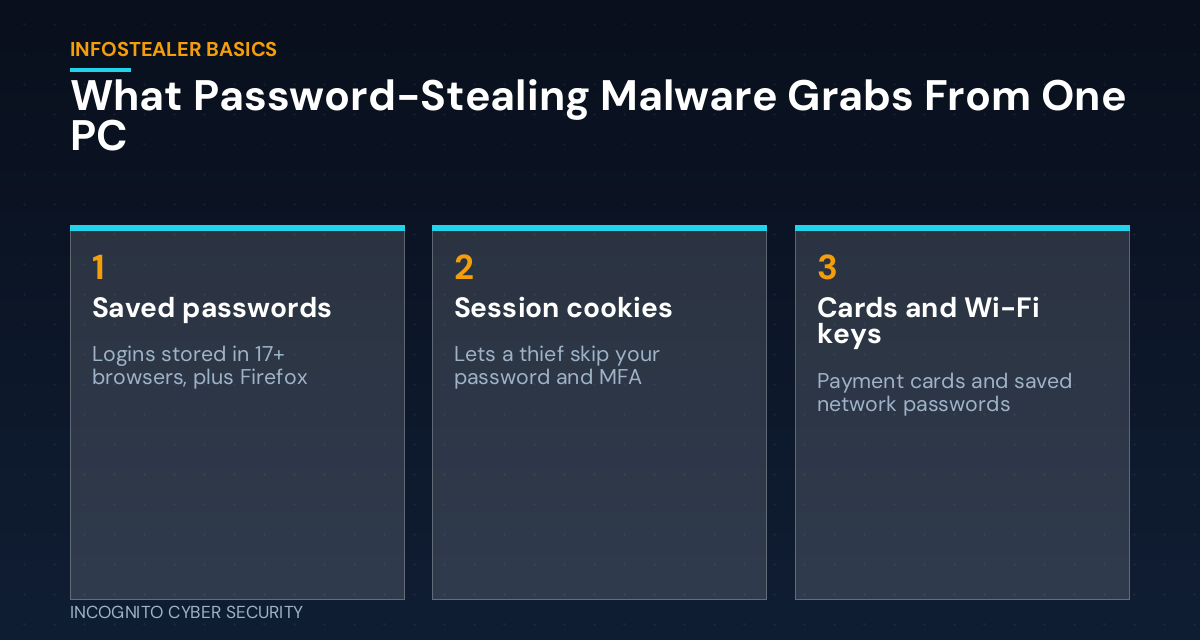
This month, security researchers at K7 Labs described a new Windows password stealer that makes the problem plain. It goes after the logins saved in at least 17 browsers, plus Firefox. It also grabs saved payment cards, session cookies, and even the Wi-Fi passwords stored on the machine. Then it quietly sends everything to the attacker. This type of malware is called an infostealer, and it is sold as a ready-made kit, so criminals do not need to be skilled to use it.
Why this matters for a small business
Think of your browser like a hotel front desk that keeps a copy of every room key. Convenient for guests, until someone walks off with the whole drawer. When an infostealer lands on one PC, it does not take one key. It takes the drawer.
It is not just passwords
The part that surprises owners is cookies. A session cookie is the small token that tells a website, “this person already logged in.” If a thief has it, they can sometimes walk right into your email or accounting software without typing a password, and without a code from your phone. That is why a strong password alone is not enough, and it connects to what I wrote about stolen logins being handed off in seconds.
One personal PC can expose the whole company
Your bookkeeper checks the company bank on her home laptop. Your technician logs in to your remote tools from a computer the kids also use. If that one machine is infected, every login saved there is exposed. The attacker then tries those logins everywhere else, which is the same pattern behind the weak-password problems we covered recently.
How does it get on the computer?
Usually through a bad download: a cracked program, a fake “free” tool, a game mod, or a file attached to a message that looks routine. The researchers found this one hidden inside nested archive files with innocent-sounding names. It also sets itself up to restart every time the computer starts, and it names itself “WindowsUpdate” so it blends in.
What you can do this week
- Stop saving business passwords in the browser. Move them into a business password manager that locks behind its own strong login. Browsers keep them too easy to reach.
- Turn on MFA everywhere it is offered, starting with email, banking, and accounting. Use app codes or security keys instead of text messages when you can.
- Put real endpoint protection on every computer that touches company data, including the ones that are not in the office. Free antivirus that came with the PC is not the same thing.
- Limit who can install software. If staff cannot install random programs, most infostealers have nowhere to land.
- Train your team on the bad-download habit. A short awareness session about cracked software and unexpected attachments pays for itself.
- Filter the junk before it arrives. Good spam and virus filtering stops many of those risky files before anyone can click.
- Have a clean, tested backup, and know the plan for resetting every password if a machine is infected.
If you think a computer is infected
Do not just run a scan and move on. Assume the logins on that machine are stolen. From a different, clean device, change the important passwords (email first), sign out of all active sessions so stolen cookies stop working, and then have someone clean or rebuild the computer. Order matters: clean device first, then the passwords.
The bottom line
Convenience is what makes a saved password risky. A browser that remembers everything is a single point of failure. Move your logins into a proper password manager, protect every computer, and treat a possible infection like a stolen key ring: change the locks, not just the keys.
Not sure what is saved on your team’s computers?
We will look at your endpoints, browsers, and logins in a free, no-pressure visit and tell you plainly where the gaps are.
Want help seeing where your business stands? Our small business cybersecurity solutions start with a conversation, and you can find more plain-English guides on our blog.
Send us a message
— Nemuel Cruz, Incognito Cyber Security
Sources: GBHackers, Oct. 2, 2026; Cyber Press, Oct. 2, 2026.