Your Backups Won’t Save You Anymore: Ransomware Steals First
For about ten years my answer to ransomware was short, and it worked. Keep clean backups. Test them. Keep one copy somewhere the attacker cannot reach. Do that, and you could tell a criminal exactly where to go, restore your servers over a long weekend, and be back at work Monday morning.
That advice is now only half an answer. And the missing half is the part that costs small businesses the most money.
What Actually Changed
Ransomware crews figured out something uncomfortable for them: businesses finally got decent at backups. Encryption by itself stopped paying the bills. So they changed the order of operations.
Today they break in quietly, walk around your network for a while, find the files that would hurt you most if they got out, copy those files to their own servers, and only then lock anything up. By the time you see a ransom note, the theft already happened. The lock is just the announcement.
Security firm Huntress put the average time from break-in to ransom screen at roughly 20 hours in its 2026 threat research, up from 17 the year before. That sounds like good news. It is not. They are taking longer on purpose, and those extra hours are spent doing exactly one thing: shopping.
They know what is worth taking
They are not grabbing random spreadsheets. They go after payroll files, client lists, signed contracts, scanned driver’s licenses, tax returns, bank letters, anything with a Social Security number attached. If you run a CPA firm, a law office, a clinic, or a construction company holding customer financial data, you are carrying precisely the material they came for.
Your backups are on their list too
Before they pull the trigger, they go looking for your backup system. If your backups sit on the same network, reachable with the same administrator password as everything else, they get deleted first. That is not a theoretical risk, it is standard procedure now, and it is why how your backups are stored matters as much as whether you have them.
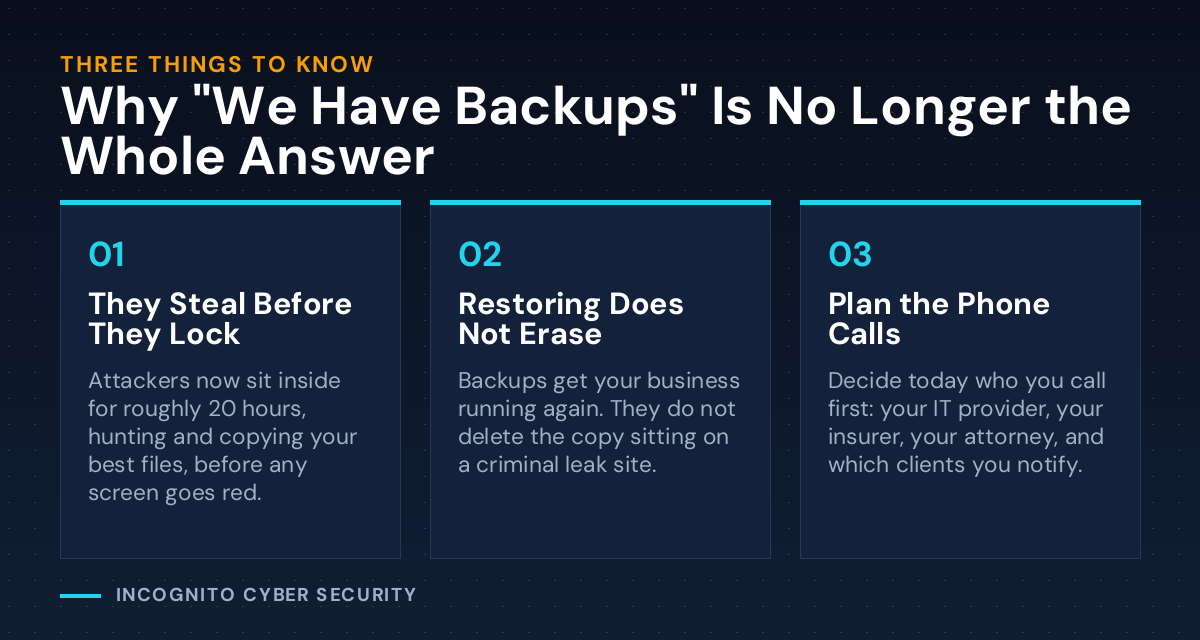
What “We Have Backups” Protects You From Now
Please do not read this as backups being pointless. Nothing could be further from the truth. Good backups are still the line between a rough week and a business that never reopens, and I will keep pushing every client I have to test them.
But be honest about what they do. Backups solve availability. They get your phones, your files, and your invoicing working again. They do not solve confidentiality. Once a copy of your client list is sitting on a stranger’s server, restoring your own copy changes nothing about that. You cannot restore a secret back into being a secret.
The Part Nobody Plans For
Here is what actually happens in the week after, and it is rarely the technology that hurts. It is the phone calls.
Arizona, like most states, requires you to notify people when their personal information is exposed. So you are calling your attorney to find out who has to be told and how fast. You are calling your insurance carrier, who will want to know what controls you actually had in place, not what you meant to have. You are calling clients to tell them their information was taken while you were the one holding it. And you are answering the question every one of them asks: how did this happen, and why did it take you so long to notice?
I have watched owners handle the server rebuild fine and get completely flattened by that last conversation. Which is the whole argument for catching an intruder during those 20 hours instead of finding out afterward.
What You Can Do This Week
- Find out where your backups actually live. Ask whoever handles your IT one question: if someone got full admin access to our network tonight, could they reach and delete our backups? If the answer is yes, or nobody knows, fix that before anything else on this list.
- Write down what you hold. Fifteen minutes on a legal pad. What customer information is on your systems right now? Social Security numbers, bank details, medical records, ID scans? You cannot judge your exposure until you know what is sitting there.
- Make the call list before you need it. IT provider, insurance agent, attorney, bank. Names and cell numbers, printed, in a drawer. When you are locked out, you will not have email to look them up.
- Pull your cyber insurance policy out and read the conditions. Many now require multi-factor authentication and tested backups. If you do not have what you promised, your claim can be denied at the worst possible moment.
- Ask if anything would flag unusual data leaving your network. Twenty hours of quiet copying looks like something. Somebody should be watching for it, and your staff should know what a break-in looks like in its early hours.
Bottom Line
Backups keep your doors open. They do not keep your secrets. The businesses handling this well in 2026 are the ones that stopped treating ransomware as a data recovery problem and started treating it as a theft problem, which means the goal moved from “can we restore?” to “would we even notice someone copying our files?”
If you cannot answer that second question today, that is the gap worth closing. Most of the fixes above cost time, not money. And if you would rather not guess, we do this every day for Tucson-area businesses. Related reading: what happens when your vendor gets breached, or browse the rest of the blog.
Free, no obligation
Not sure if your backups could survive an attack?
We will walk your setup with you, tell you plainly what an attacker could reach, and give you a short list of what to fix first. No sales pitch, no jargon.
We also handle spam and virus filtering, since most of these break-ins still start with one email nobody thought twice about.
Send us a message
Questions about anything in this article? Send them over and I will answer personally.
— Nemuel Cruz, Incognito Cyber Security