Why “Set It and Forget It” Security Gear Is Exactly What Hackers Are Counting On
On September 22, CISA and security researchers confirmed hackers were actively breaking into firewalls and remote-access equipment from two of the biggest names in business security — Check Point and F5 — using flaws the vendors had already published patches for. Attackers weren’t picking locks. They were walking through doors left unlocked for months.
You probably don’t run Check Point or F5 gear. Most businesses I work with in Southern Arizona don’t. But the story behind this attack is the same one that plays out on smaller networks every week, and it’s worth five minutes to understand why.
What Actually Happened
CISA added four vulnerabilities to its Known Exploited Vulnerabilities catalog last week, including two Check Point flaws and one in F5’s BIG-IP access system. Two scored a perfect 10 out of 10 on the industry’s severity scale — an attacker who finds an unpatched device can take total remote control of it, no password and no click required from anyone inside the business. From there, they have a direct path into the rest of the network.
Why This Matters Even If You’ve Never Heard of These Products
The brand isn’t the point. The pattern is: a vendor discovers a flaw, releases a fix, and publishes a warning — and real-world attacks follow within days because so many businesses never applied the update. It doesn’t matter whether the device is a $40,000 enterprise firewall or a $150 router from a big-box store. If it’s connected to the internet and unpatched, it’s a target with your business’s name on it.
The Real Problem Isn’t the Software — It’s the Silence
Here’s what I see over and over with business owners: nobody decided to skip patching. It just never made noise. Your point-of-sale system, your router, your bookkeeper’s laptop — none of them ring a bell when an update is overdue. Everything looks fine, right up until it isn’t. Attackers count on the fact that “still running” and “still safe” feel like the same thing, when they’re not even close.
Old Software Has a Quiet Expiration Date
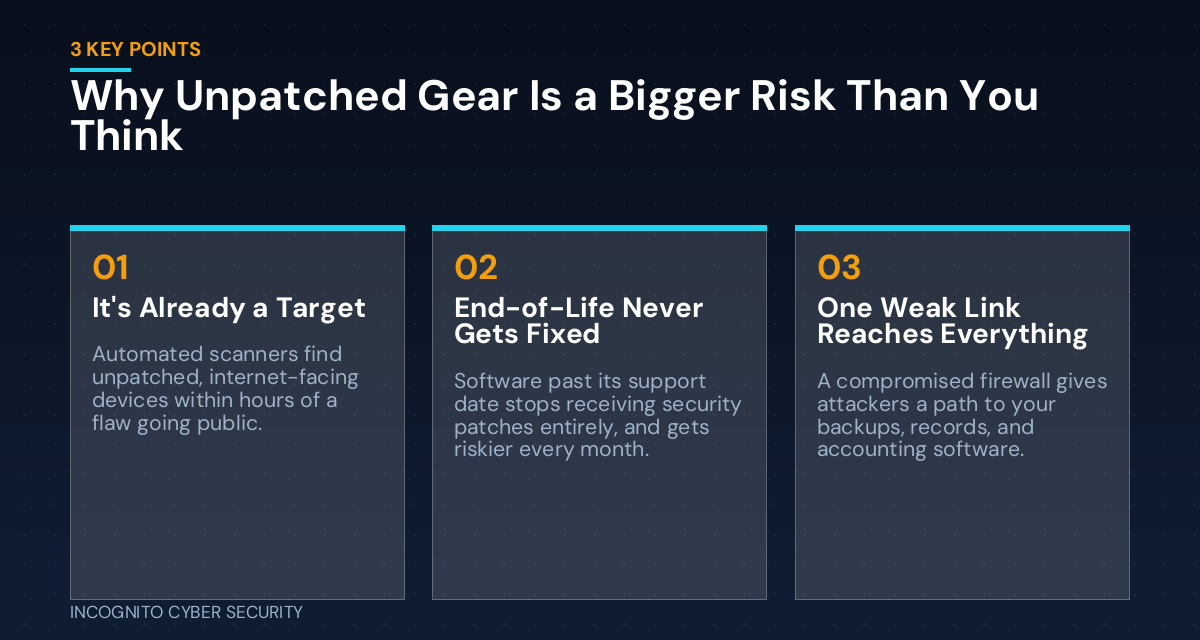
Software that’s reached end-of-life — an old Windows version, a legacy point-of-sale platform, a plugin nobody’s touched in years — stops receiving security fixes entirely. New vulnerabilities keep getting discovered, but the vendor is no longer sending fixes. That software doesn’t get safer by sitting still; it gets more dangerous every month it’s ignored, because it’s the one door nobody’s watching. If any office machine is still running an operating system your vendor has stopped supporting, that’s the first thing worth checking this week — our cybersecurity awareness resources walk through how to spot it.
What Hackers Are Actually Looking For
When a vulnerability like these goes public, automated scanners sweep the internet for unpatched devices within hours, not weeks. It’s not a hacker picking your business specifically — it’s a script checking millions of addresses, and it doesn’t care how big you are. A small business with an unpatched firewall is just as visible as a Fortune 500 company, and often an easier target because nobody’s watching the logs.
We covered basic router and firewall hygiene in a recent post on our blog, and this news is a good reminder why it matters: these devices sit at the front door of your entire network. A compromised firewall doesn’t just expose one computer — it can give an attacker a foothold into everything behind it, including your backups, customer records, and accounting software.
How This Plays Out for a Small Business
The pattern holds whether the target is a hospital or a five-person shop: an attacker finds the unpatched device, gets in quietly, and looks around before doing anything noisy — ransomware weeks later, or quietly siphoned customer and banking data. By the time you notice, they’ve often had access for a while. That’s why secure, tested backups and layered endpoint protection matter as much as the front door itself.
What You Can Do This Week
- List everything facing the internet. Firewall, router, VPN, remote desktop tools, any device with a public login page. If you don’t know what’s on that list, that’s the first gap to close.
- Turn on automatic updates wherever you can. For systems that can’t auto-update safely, put someone — you, staff, or your IT provider — in charge of checking monthly, not “eventually.”
- Retire anything past end-of-life. Software that no longer gets security updates needs to be replaced or isolated from the network, not just used carefully.
- Ask whoever manages your network for a patch status report. A simple “when was this last updated” answer for every device tells you more than any sales pitch.
- Put a recurring 15-minute review on your calendar. Once a month, someone checks for pending updates on your key systems. It’s boring, and it’s one of the cheapest ways to avoid a very expensive week.
Bottom Line
Hackers aren’t breaking new ground with attacks like these — they’re exploiting the fact that patching is invisible work with no immediate reward, so it keeps getting pushed to next week. The businesses hit hardest usually aren’t the ones with the weakest defenses on paper; they’re the ones where nobody was clearly responsible for keeping those defenses current. That’s a gap you can close this week without spending a dime on new equipment.
Not sure what’s patched and what isn’t?
We manage patching, firewall updates, and endpoint protection for small businesses across Southern Arizona — quietly, in the background. If it’s been a while since anyone checked, let’s take a look together.
Take a look at our small business cybersecurity solutions, including spam and virus filtering that catches a lot of these attacks before they ever reach a device that needs patching.
Send us a message
— Nemuel Cruz, Incognito Cyber Security