One Employee’s Personal Phone Just Breached a State Agency
Last Thursday, the Florida Department of Highway Safety and Motor Vehicles confirmed something a lot of small business owners should sit with for a minute. A cybercrime group got into state motor vehicle records. Not through a zero-day. Not through some Hollywood hack. They got in because one police officer had his work login sitting on his personal device, and somebody stole it.
One person. One phone. One set of credentials in the wrong place. That was the whole story.
I have been doing this in Tucson since 2011, and I can tell you that almost every small business I walk into has the same problem. Not because anybody is careless. Because it is convenient, and nobody ever told them not to.
What actually happened in Florida
Officials found out about the breach on September 4. Their investigation determined that a criminal was able to take advantage of a single police department user’s credentials that were “improperly housed on the employee’s personal electronic device.” That employee worked for a small-town police department outside Tampa. The data that came out the other end was state-level motor vehicle records.
Read that chain again, because it is the part that matters. A small organization’s employee. A personal device. A shared system. The attacker did not need to breach the state. They only needed to breach the weakest person connected to it.
If you are a contractor, a CPA firm, a clinic, or a title company with a portal login into somebody bigger, you are the small-town police department in that story.
Why this should worry you more than it worries Florida
The device is not the problem. What is stored on it is.
Nobody is saying your team cannot use their own phones. Most small businesses could not function otherwise. The problem is what quietly accumulates on those phones: the QuickBooks password in a notes app, the bank login saved in a personal Chrome profile, the client portal password in a text thread with the office manager.
That is business property living on hardware you do not own, cannot wipe, and will never get back when that person leaves. We wrote about the browser side of this in Saved Passwords: The Easiest Way Into Your Business, and this is the same disease with a different address.
Attackers now move in hours, not weeks
Here is the part that changed recently. In a threat report published the same day as the Florida confirmation, Anthropic described attackers using AI tools to scan for stolen credentials, map systems they had never seen before, and pull data out. In one case an attacker went from a single stolen developer token to full administrative control of a victim’s cloud environment in about three hours.
Three hours. That is shorter than a lunch meeting. The old assumption that you would notice something was wrong before real damage happened is no longer a safe assumption.
Where work logins quietly end up
When I do a walkthrough for a new client, I find the same four hiding places almost every time:
- The notes app on a personal phone, usually titled “passwords” or “work stuff”
- A personal Google or Apple account signed into a work browser, syncing everything to a home laptop
- A text or WhatsApp thread where somebody sent a credential once and nobody ever deleted it
- A personal email inbox holding password reset links and MFA backup codes
None of that is malicious. All of it is a breach waiting for a lost phone.
What you can do this week
- Ask the question out loud. In your next staff meeting, ask where people keep their work passwords. Do not make it a scolding. Make it a fact-finding mission. You will learn more in five minutes than from any audit.
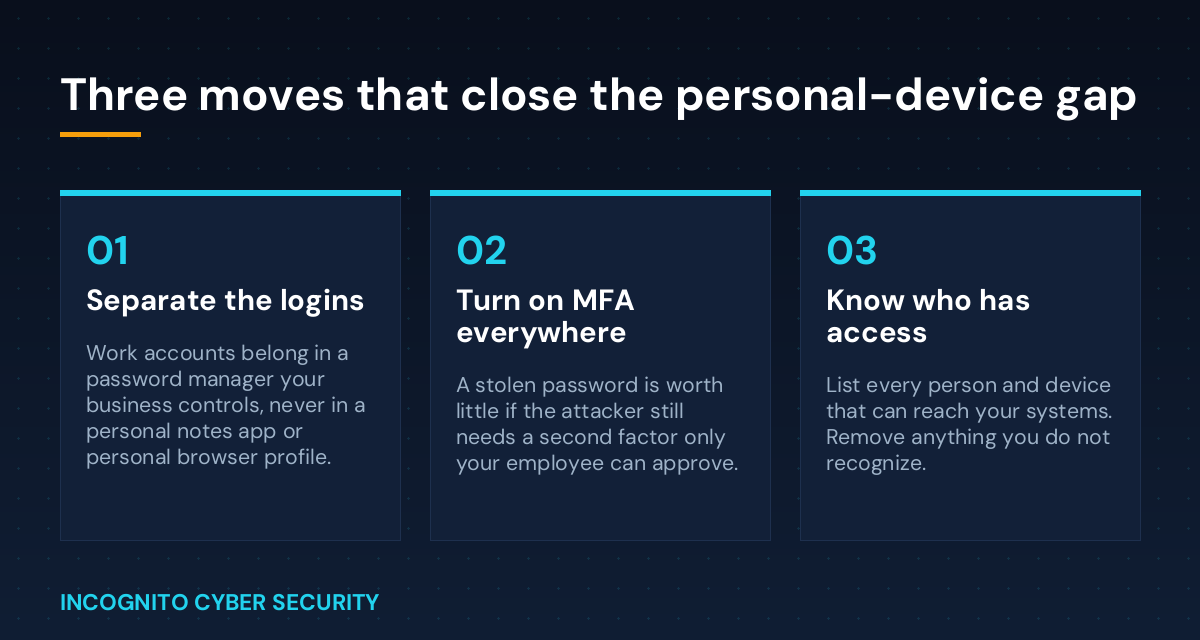
- Give them somewhere better. Nobody keeps passwords in a notes app because they love it. They do it because there is no alternative. Put a business password manager in place and the notes app empties out on its own.
- Turn on multi-factor authentication everywhere it will go. Email, banking, accounting, remote access. A stolen password is worth very little if it still needs a second factor. Just make sure your people know not to approve prompts they did not trigger, which we covered in The Login Request You Should Never Approve.
- Separate work identity from personal identity. Work accounts sign in with work profiles. Personal Google and Apple accounts stay off work browsers, and vice versa.
- Write down who has access to what. Every system, every person, every device. If a name on that list left six months ago, you found your first fix.
- Confirm your backups actually restore. Credential theft is usually step one. Tested backups are what decide whether step two is an inconvenience or an extinction event.
If your staff has never had this explained to them plainly, that is a training gap, not a people problem. Security awareness training is the cheapest line item on this whole list.
The bottom line
A state agency got breached because one employee at one small department kept a work login somewhere convenient. Your business runs on the same arrangement right now, and you probably have not looked in a while.
You do not need a bigger budget to fix this. You need managed devices, filtered email, a password manager, MFA turned on, and one honest conversation with your team. That is a week of work that quietly removes the most common way small businesses get hit.
Not sure what is on your team’s phones?
We will walk your business, find where work credentials are actually living, and give you a plain-English list of what to fix first. No jargon, no pressure.
We serve small businesses across Tucson, Marana, Oro Valley, Sahuarita and Nogales with managed IT and cybersecurity and 24/7 emergency support. More plain-English breakdowns like this one are on our blog.
Send us a message
Have a question about your own setup? Send it over and I will answer it personally.
— Nemuel Cruz, Incognito Cyber Security