That “I’m Not a Robot” Box Might Be a Trap
You have clicked a thousand of those little “I’m not a robot” boxes. Pick the traffic lights, check the box, move on. That habit is exactly what criminals are counting on right now.
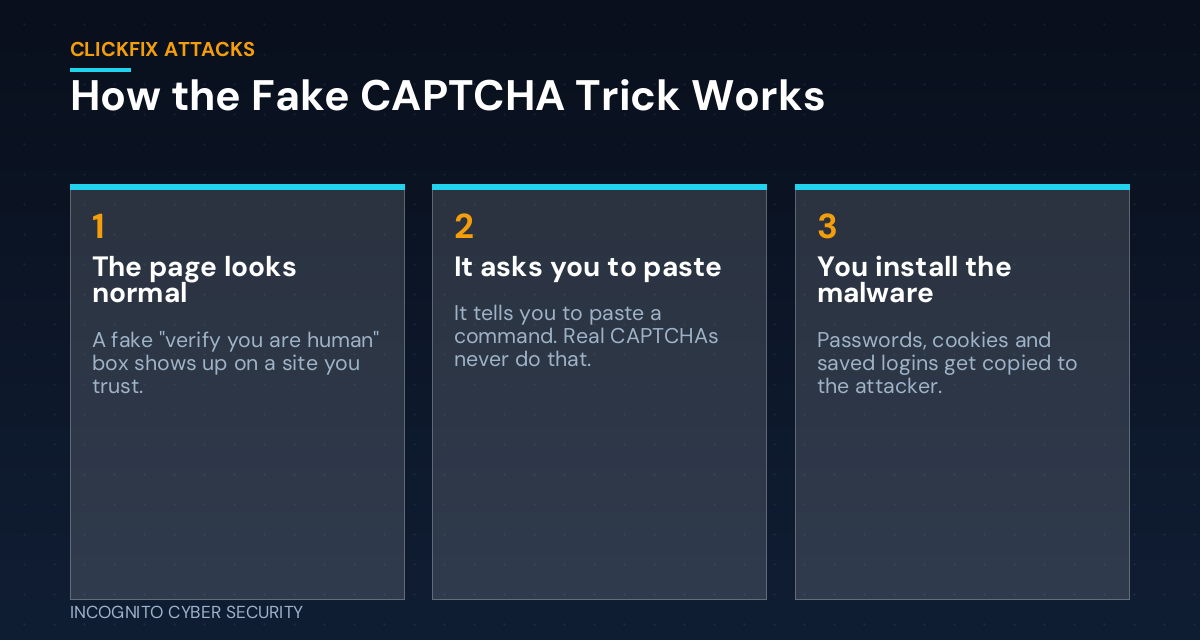
A trick called ClickFix is showing up on hacked and fake websites everywhere. It looks like a normal security check. But instead of asking you to pick out buses, it asks you to copy and paste a short command into your computer. The moment you do, you have installed the attacker’s software yourself. No infected attachment. No shady download. Just you, following instructions.
What just happened
On November 5, researchers at WithSecure described a new Mac malware called Phexia that spreads exactly this way. Victims land on a fake verification page, often through look-alike web addresses or shopping listings. The page quietly copies a command to the clipboard and tells the person to paste it into Terminal, the Mac’s command window.
Once it runs, Phexia pops up a fake System Preferences window to grab the Mac password. Then it copies saved browser logins, cookies, the Mac keychain, and even password manager vaults, and ships them off to the attackers. It also uses the computer to mine cryptocurrency on the side.
The Windows version of this trick has been around longer, and it is still everywhere. The same week, security news roundups tracked fake purchase-order emails, fake Microsoft support ads, and more ClickFix lures, all designed to get a person to do the attacker’s work for them. If your office runs on Macs and you thought “Macs don’t get viruses,” this one is for you.
Why this trick works so well
Think of it like a stranger who doesn’t bother picking your lock. He just slips you a note that says, “Building management: please unlock this door and prop it open.” Most of your security is built to stop the stranger. Very little of it is built to stop you from opening the door yourself.
It skips your email filter
There is no attachment to scan. The “weapon” is plain text sitting on your clipboard. Good spam and virus filtering still catches many of the emails that lead to these pages, but the final step happens in your browser.
It looks like something you have done before
The fake pages copy the look of real Cloudflare or Google checks. Some even say “Something went wrong, press these keys to fix it,” which sounds helpful.
It shows up on sites you trust
Attackers break into real websites, like restaurants, small shops, and local blogs, and put the fake check on top. You didn’t go anywhere shady. The shady part came to you.
The one rule that stops it
Here is the whole defense in one sentence: a real website will never ask you to press keys or paste anything to prove you are human.
Not the Windows key plus R. Not opening Terminal. Not Ctrl+V into a box. If a web page gives you keyboard instructions, close the tab. That’s it. Real CAPTCHAs ask you to click a box or pick images. They never ask you to run anything.
Put that rule on a sticky note. Say it at your next staff meeting. It is the same kind of habit we build in our cybersecurity awareness training: short, memorable rules that still work when someone is busy and in a hurry.
What if someone already pasted it?
Don’t panic, and don’t hide it. Speed matters far more than blame.
Disconnect first
Unplug the network cable or turn off Wi-Fi on that computer. That cuts the attacker’s connection.
Call your IT team
They should look for anything set to start automatically, run a full scan, and figure out what the command actually did.
Change passwords from a different device
Assume everything saved in that browser is in the wrong hands: email, bank, payroll, vendor portals. Change those passwords from a clean device, sign out of all sessions, and turn on multi-factor authentication anywhere it is missing.
What you can do this week
- Share the rule. Send your team one line: “No website will ever ask you to paste something or press keys to prove you’re human. If one does, close it and tell me.”
- Remove admin rights from everyday accounts. If staff can’t install software, a pasted command can do far less damage.
- Make sure every computer has real endpoint protection. Modern endpoint protection watches for suspicious behavior, like a browser launching a hidden command, not just known bad files. Macs included.
- Ask IT to block the Run box for staff who don’t need it. On Windows this is a simple policy change, and most employees never use it.
- Stop saving passwords in the browser. Move them into a business password manager. Saved logins are the first thing these thieves grab, as we covered in our post on password-stealing malware.
- Check your backups. If a machine has to be wiped, you want secure data backups that let you restore it the same day.
The bottom line
Criminals have figured out it is easier to get you to open the door than to pick the lock. One simple rule, never paste or press keys because a website told you to, shuts this whole trick down. Teach it once and repeat it often. If you want help putting the other guardrails in place, take a look at our small business cyber security solutions, or browse more plain-English tips on our blog.
Want a second set of eyes on your team’s computers?
We will check your protection, admin rights, and backups, and tell you what to fix in plain English. Book a complimentary visit.
Send us a message
— Nemuel Cruz, Incognito Cyber Security