One Employee Click Exposed 1.3 Million Arizonans. What Would Yours Do?
Last week, the Arizona court system confirmed a cyberattack. The cause was not some movie-style hack. According to Chief Justice Ann Timmer, “a court employee clicked on a malicious link.” That’s it. One click.
The fallout is big: more than 1.3 million people may be affected. The data includes names, case numbers, and Social Security numbers from a state debt collection program, plus over 150,000 confidential foster care review reports and protective order information. The FBI has been notified, and officials are urging people to freeze their credit.
Here’s the part I want you to focus on, because it applies to your business: the court’s IT team contained the breach within two hours. The click was not the real story. The speed of the response was.
You Can’t Stop Every Click
I’ll say this plainly. Your employees will click on something they shouldn’t. Maybe not this month, but eventually. Phishing emails are written by professionals now, and they look better every year. Training helps, and our cybersecurity awareness program exists for exactly that reason. But training lowers the odds. It never takes them to zero.
Think of it like a smoke detector. Nobody installs one because they plan to start a fire. You install it so a small problem stays small. Your plan for a bad click works the same way.
What Happens in the First Two Hours
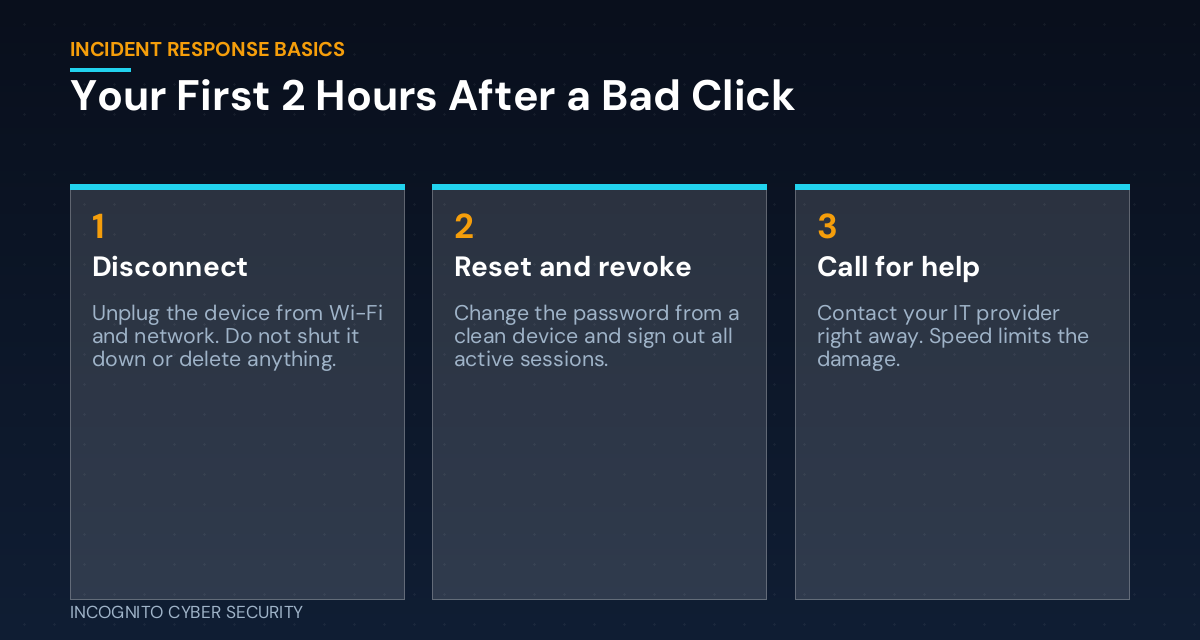
When someone clicks a bad link, attackers move fast. The first hours decide whether you have a bad afternoon or a bad year. Here is what a good response looks like.
Spot it quickly
The sooner someone says “I think I clicked something bad,” the better. This only happens if people aren’t afraid to admit it. If your team fears getting in trouble, they will stay quiet and hope. Hope is not a security strategy.
Cut it off
Disconnect the device from the network. Don’t turn it off, and don’t start deleting things. Your IT provider may need what’s on it to see what happened.
Lock the doors
Change the password from a different, clean device, and sign out every active session. Stolen logins are what attackers use to get in, which we covered in our post on stolen logins and stronger MFA.
Limit the Damage Before It Starts
You can’t decide in the moment how much an attacker can reach. That is decided long before, by how your business is set up. Two ideas matter most.
Give people only the access they need
If one employee account can open everything, one click can expose everything. Most staff don’t need access to every file and system. Trim it down.
Protect the machines and the mailbox
Good spam and virus filtering stops many bad links before they reach an inbox. Endpoint protection can catch a bad download or flag strange behavior on a computer, so a mistake gets noticed fast. And if the worst happens, secure data backups mean you can recover instead of paying someone to give your files back.
What You Can Do This Week
- Write down who to call. Put your IT provider’s emergency number where every employee can find it, not buried in an email.
- Tell your team it’s safe to speak up. Say it out loud: reporting a mistake early is never punished.
- Review who can access what. Remove access people no longer need, especially for former staff.
- Check your backups. Make sure one copy is separate from your main network, and test that you can restore it.
- Run a 15-minute drill. Ask your team: “If you clicked something bad right now, what would you do first?” The gaps in the answers are your to-do list.
The Bottom Line
The Arizona courts breach is a reminder that one click can touch a lot of people. But the two-hour containment is the real lesson: a fast, prepared response keeps a mistake from becoming a disaster. You don’t need a big IT department for that. You need a plan, a phone number, and a team that speaks up. If you want to see where your business stands, our small business cyber security solutions are built for exactly this.
Not sure how your team would handle a bad click?
Book a complimentary visit and we will walk through your risks in plain English. No pressure, no jargon.
Send us a message
Not sure what your team would do after a bad click? Tell us a little about your business and we’ll get back to you.
More articles are on our blog, including what to do when your software vendor gets hacked.
— Nemuel Cruz, Incognito Cyber Security
Sources: FOX 10 Phoenix; This Week in Security, Oct. 4, 2026.