Your Team Is Pasting Company Data Into AI Tools
A business owner called me last week about something that was not an attack. No ransom note. No locked server. No wire transfer gone sideways. He had just found out that his office manager had spent months pasting customer contracts into a free AI chatbot so it would summarize them for her.
She was not being careless. She was being efficient, and the summaries were good. She also had no idea she had been handing customer names, addresses, and pricing to a company none of those customers had ever agreed to do business with.
This has a name now. People call it shadow AI, and it is the quietest security problem I deal with all year.
What Shadow AI Actually Means
Shadow AI is any AI tool your people use for work that you did not choose, do not pay for, and cannot see. A free chatbot on a personal login. A browser extension that rewrites emails. A note-taking bot that quietly joined your Zoom call. None of it went through you.
The numbers are worse than most owners expect. Research collected by Kiteworks found that roughly three out of four employees who use generative AI paste company information straight into it, and the large majority of that traffic runs through personal accounts that no business ever sees. IBM’s breach research has landed in the same place: AI is now tangled up in a growing share of real breaches, and the ones involving unapproved tools cost meaningfully more to clean up.
Why This One Is Different
Most of what I write about on this blog involves somebody trying to get in. This one does not. Nobody breaks anything. Your data just walks out the front door in the hands of an employee who is trying to do a better job.
There is no alarm to hear
When ransomware hits, you know within the hour. When an employee pastes your client list into a chatbot, nothing happens. No alert, no error, no bill. You find out months later, or you never find out at all.
The tool is not the villain
I am not anti-AI. We use it here. The problem is not the technology, it is that free consumer accounts are built for consumers. Your business data ends up on somebody else’s servers under somebody else’s terms, and you have no record of what went where.
Where This Actually Bites a Small Business
Contracts and client files
Legal agreements, quotes, and customer lists are the most common things I see pasted in. That is your competitive position and your clients’ private information leaving your control in one keystroke.
Anything covered by a rule you signed
If you handle medical records, financial data, or client information under a confidentiality agreement, that obligation does not pause because the leak was well-intentioned. A contract breach is a contract breach.
Passwords and system details
This one makes me wince every time. People paste error messages, configuration files, and occasionally credentials into a chatbot to ask what is wrong. Those details are exactly what an attacker would want.
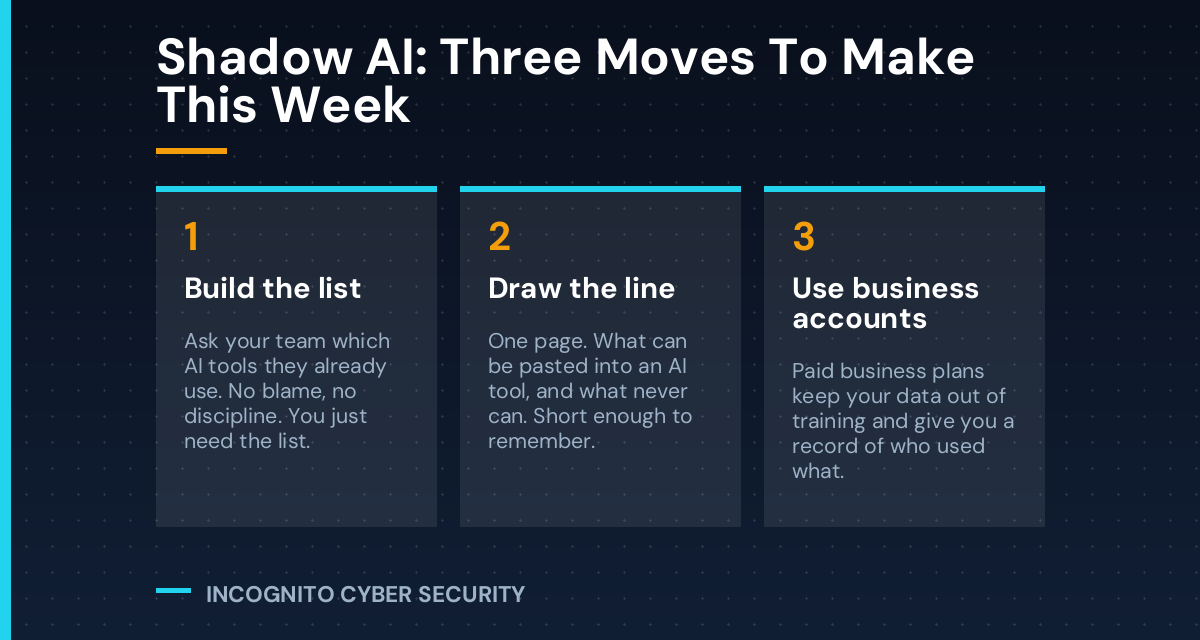
What You Can Do This Week
- Ask, and mean it. Ask your team which AI tools they already use. Make it clear nobody is in trouble. You want the list, not a confession. If people think they will be disciplined, they will simply hide it better.
- Write one page. What can go into an AI tool, and what never can. Mine is short: no customer data, no contracts, no passwords, no financials. General questions and rewriting your own words are fine. Short enough that people remember it is short enough to follow.
- Pay for the business version. Paid business plans keep your data out of model training, give you an admin view of who is using what, and let you shut off access when someone leaves. For most small offices this runs a few dollars per person per month.
- Fold it into your normal training. The same fifteen minutes you spend on security awareness can cover this. Most people have never once been told where the line is.
- Cover the basics underneath it. None of the above matters if the machines themselves are wide open. Endpoint protection catches the malicious extensions pretending to be AI helpers, email filtering stops the fake AI tool invites landing in inboxes, and solid backups are still what gets you back on your feet when something does go wrong.
The Bottom Line
Your people are already using AI. That decision was made without you, and banning it outright just pushes it onto personal phones where you truly cannot see it. The businesses that handle this well are not the ones that said no. They are the ones that said yes, here is how, and here is the line.
Ask the question this week. You will learn something.
Not sure what your team is using?
Most owners are surprised by the answer. We will inventory the AI and cloud tools actually in use across your business, tell you which ones are safe to keep, and put the guardrails in place. It is part of how we handle small business cyber security across Southern Arizona.
Send us a message
Have a question about AI tools in your office, or want a second opinion on something you found? Send it over and I will answer personally.
— Nemuel Cruz, Incognito Cyber Security