Nobody Checks the Router — and Hackers Know It
Every small business I walk into has one. It’s in a closet, on a shelf above the file cabinet, or under somebody’s desk collecting dust. Green lights blinking. Nobody touches it. Nobody has touched it since the day it was installed.
That box is your router or firewall, and right now it is one of the most attacked pieces of equipment in your building.
Over the last few weeks, federal cybersecurity officials added a batch of actively exploited router and firewall flaws to the government’s mandatory patch list. Attackers are taking over MikroTik routers straight off the internet without needing a password at all. Cisco firewall management software was being exploited in the wild before most companies had even heard about it.
These aren’t theoretical warnings. Criminal crews scan the entire internet for these devices around the clock, and their scanners don’t check whether you’re a hospital network or a three-truck HVAC shop. They check whether the door is open.
Why the router is such a good target
Think of your network like a building. Your computers and phones are the offices. Your router or firewall is the front door, the lock, and the security guard all rolled into one device.
When an attacker takes over that box, they haven’t broken into one office. They’re standing in the lobby holding the master key. From there they can watch where your staff goes online, redirect people to fake login pages that look exactly like your real email sign-in, or sit on your network for months waiting.
And nothing you own is watching it
Here’s the part that catches owners off guard. Your endpoint protection covers laptops and desktops, not network hardware. So when the router gets compromised there’s no alert, no popup, no red screen. The lights keep blinking exactly like they did yesterday.
I’ve walked into offices where a router had been compromised for over a year. Nobody noticed, because from the staff’s point of view the internet worked fine.
The three mistakes I find over and over
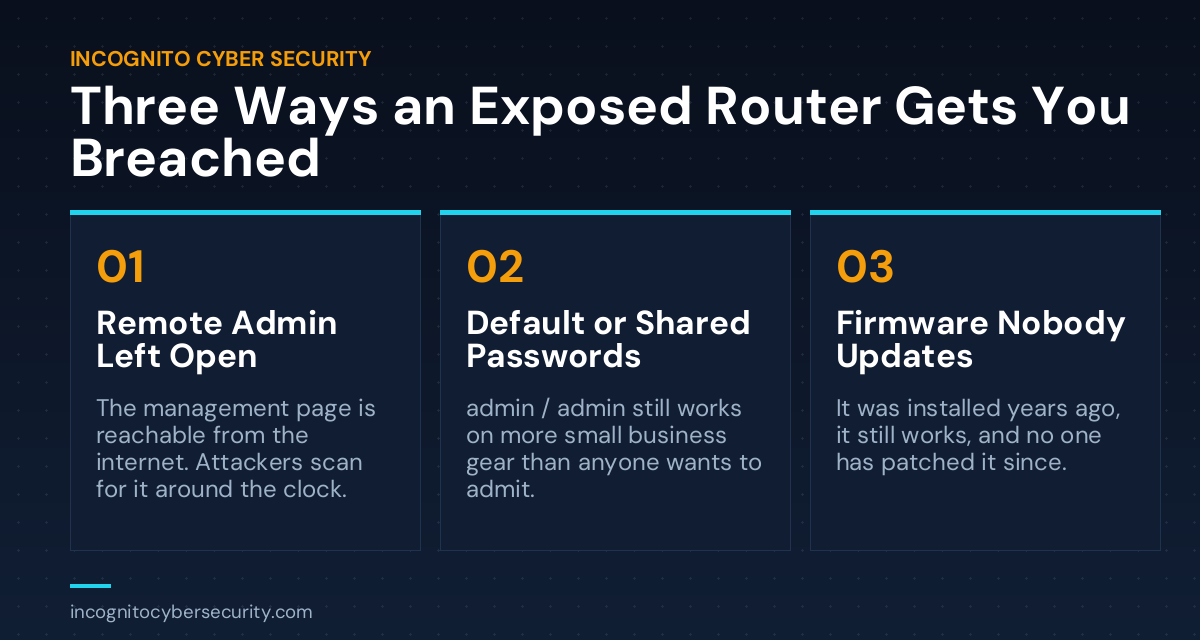
1. The admin page is open to the entire internet
A lot of routers ship with remote management turned on so a technician can log in from anywhere. Convenient for the tech who set it up in 2019. Also convenient for every automated scanner on the planet. If your device’s login page can be reached from outside your office, assume it’s being found within hours, not months.
2. The password is still the one it came with
Default credentials are published in the manual, and the manual is on the manufacturer’s website. “admin / admin” and “admin / password” still work on more small business equipment than anybody wants to admit. Worse is the shared password that three former employees and two former IT vendors all still know.
3. The firmware is from the year you bought it
Routers need security updates the same as your computers do, but they don’t nag you about it. No blue restart screen, no “update available” banner. You have to go look. I regularly find business firewalls running firmware that’s four or five years behind, sometimes on hardware the manufacturer stopped supporting entirely. This is the same open-door problem I wrote about in unpatched software, except the door is the one facing the street.
“But my internet provider gave me this thing”
I hear this constantly, and it’s fair. If your ISP owns the equipment, they handle some of the updates. But “some” is doing a lot of work in that sentence, and provider-supplied gear is usually built for basic home internet service, not for a business with employees and customer records sitting behind it.
Make a five-minute phone call and ask two questions: is this device still supported, and is remote administration turned on? If they can’t answer, that’s your answer. A proper business firewall isn’t expensive, and it’s the cheapest piece of a real small business security setup you’ll ever buy.
What you can do this week
- Find the box and write down what it is. Photograph the label: brand, model, serial. You can’t secure equipment you can’t name.
- Look up whether it’s still supported. Search the brand and model plus “end of life.” If the manufacturer stopped issuing updates, the device needs to be replaced, not patched.
- Turn off remote administration. Unless you have a specific business reason for it and it’s locked to known addresses, it should be off. This one change removes you from the majority of automated attacks.
- Change the admin password and stop sharing it. A long, unique password stored somewhere safe. Not on a sticky note taped to the unit, which I have seen more than once.
- Apply the current firmware, then schedule a recurring check. Quarterly at minimum, on the calendar like any other maintenance item.
- Ask who else still has access. Former IT vendors, the contractor who wired the building, the employee who left in March. If you don’t know, assume they do.
The bottom line
The router is the one device in your business that protects everything else and gets the least attention. It has no screen, it makes no noise, and it never asks you for anything — which is exactly why it gets forgotten, and exactly why attackers go after it first.
You don’t need to become a network engineer. Know what’s in the closet, make sure it’s still supported, close the door to the outside, and check it a few times a year. That alone puts you out of reach of the automated attacks that make up the overwhelming majority of what actually hits small companies.
If you’re not sure what’s in your closet, we’ll come look — and check the rest of the basics while we’re there: backups, email filtering, and security awareness training for the things that get past the technology.
Free Network Check
Not sure what’s in your closet?
We’ll identify every device on your network, tell you what’s supported and what isn’t, and show you exactly what’s exposed to the internet. No obligation, no sales pitch.
More plain-English security articles for business owners are on our blog.
Send us a message
Questions about your network, your router, or anything else in this article? Send us a note and we’ll get back to you.
— Nemuel Cruz, Incognito Cyber Security