Your Browser Add-Ons Might Be Reading Every Search
Last week, security researchers at Socket reported that 319 Chrome extensions were quietly redirecting people’s searches. Together they were installed about 13.4 million times. Some of them looked like handy tools: PDF converters, “safe search” helpers, even AI search add-ons. They did one thing, and it wasn’t what the name promised.
If anyone at your company has ever clicked “Add to Chrome” to get a quick PDF fix, this one is for you.
What actually happened
The extensions swapped out the browser’s default search engine. Every time someone typed a search, it went through a server the operators controlled before landing on Bing or Yahoo. The operators earned referral money on each search. That is the “innocent” version of the story.
The researchers pointed out the scary part. Whoever controls that middle server decides where you land. Today it is a Bing results page. Tomorrow it could be a fake login page or a malware download, and the person typing the search would never know. Many of these extensions were also unlisted in the Chrome Web Store, which means they didn’t show up in store searches. They spread through shady ads and direct links instead.
Why this matters to a small business
Think of a browser extension like a houseguest you hand a key to. Most are fine. But an extension can see the pages you visit, and some can read what you type. You wouldn’t give a stranger a key because he told you he fixes PDFs.
At a ten-person company, nobody is checking what’s installed on each laptop. One employee adds one add-on, and now your search traffic, and possibly more, flows through someone you have never met.
The warning signs
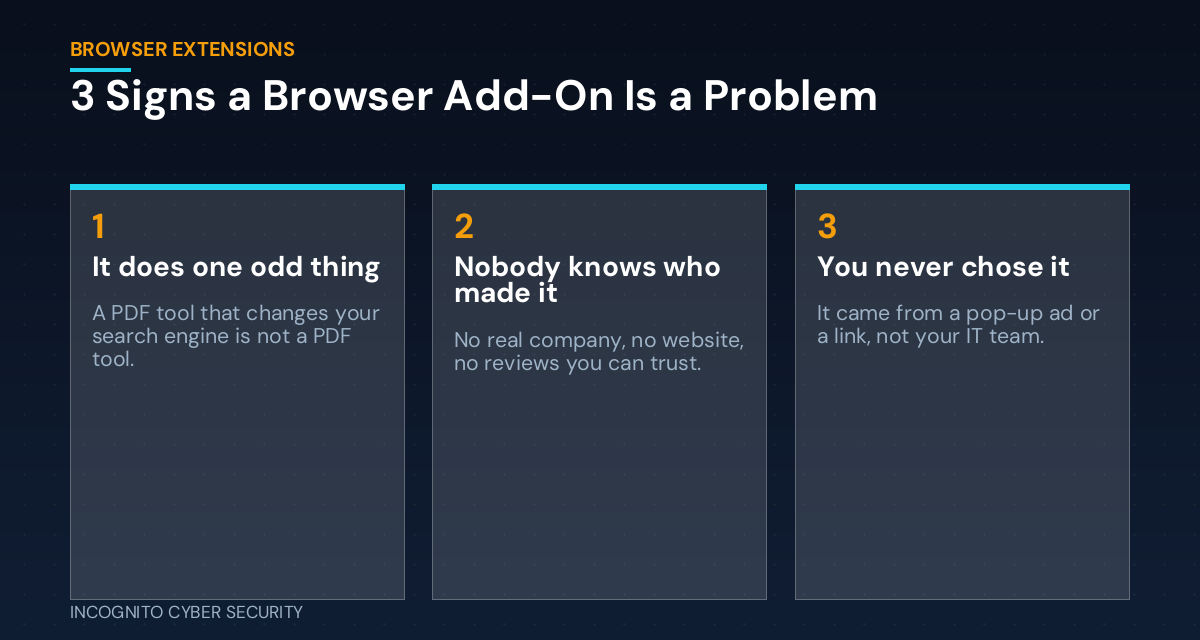
It does one odd thing
A PDF tool that changes your search engine is not a PDF tool. If an add-on changes settings you never asked it to change, that is your red flag.
Nobody can say who made it
No real company, no working website, no reviews you can trust. Security names are a trick too. Previous waves used names like “Fire Shield” and “WatchTower” to sound protective.
You never chose it
It arrived from a pop-up ad, a “free tool” link, or a coworker’s suggestion, not from your IT team.
What you can do this week
- Check your search engine. Open browser settings on each work computer. If the default search is anything you don’t recognize, remove it.
- Review installed extensions. In Chrome, type chrome://extensions in the address bar. Remove anything you don’t use or can’t explain.
- Set a simple rule. No new extensions without a quick okay from whoever handles your IT. It takes two minutes and saves weeks of cleanup.
- Run a full scan. Good endpoint protection catches many of these and flags the rest.
- Teach your team the pop-up rule. Free tools advertised in pop-ups are a bad trade. Our cybersecurity awareness training covers this in plain English.
- Keep a clean backup. If a bad extension does lead to trouble, you’ll want secure data backups you can restore from.
This fits a pattern we’ve covered before. Your browser holds a lot of trust. We wrote about what happens when malware goes after the passwords your browser saves. Bad extensions are another route to the same place.
The bottom line
Browser add-ons feel small, so owners rarely think about them. But a tool with access to your browser has access to a lot of your business. Spend ten minutes this week looking at what’s installed. If you find something strange, don’t just delete it and move on. Tell us, because it may not be the only one. For a bigger picture of what we do, see our small business cybersecurity solutions, and for more reading, visit the blog. Email filtering also helps keep those “free tool” links away from your team; see spam and virus filtering.
Sources: Socket, “Searchjacked” (Oct. 29, 2026); BleepingComputer.
Not sure what is installed on your team’s computers?
We will take a look, free. A complimentary visit with Incognito Cyber Security covers your browsers, devices, and the habits that put your business at risk.
Send us a message
— Nemuel Cruz, Incognito Cyber Security