If Your Accountant Gets Hacked, Your Tax Files Go With It
Think about everything you hand your accountant every year. Payroll reports. W-2s and 1099s. Bank statements. Your EIN, maybe your Social Security number, maybe a copy of your driver’s license. It’s the most complete picture of your business that exists anywhere, and most of the time it lives on somebody else’s computers.
That’s why a story from this week caught my attention. On November 19, KPMG Canada confirmed that some client files were compromised after what it called unauthorized access by a third party to certain tax documents. KPMG hasn’t said when it happened, how many clients were affected, or how the attackers got in. The firm says it acted right away and is contacting the people involved.
KPMG is one of the biggest accounting firms in the world, with a serious security budget. If it can happen there, it can happen at the two-person bookkeeping office down the street. So let’s talk about what you can actually control.
Why your tax files are a prize
Criminals love tax documents for a simple reason: they’re a ready-made identity kit. One packet can hold names, addresses, Social Security numbers, bank account and routing numbers, and salary information for you and every one of your employees.
What they do with it
With that information, a scammer can file a fake tax return to grab a refund, open credit in someone’s name, or send your bookkeeper a very convincing email that “updates” where payments should go. The breach is only the first step. The fraud that follows is what costs money.
It’s not just the accountant
Your payroll company, your bookkeeper, your bank, your HR software, even your own email inbox: every place a copy of those files sits is another door. Here’s how I explain it to clients. Every copy of a sensitive document is like a spare key to your house. You may trust the people holding them, but the more spare keys you hand out, the better the odds one gets lost.
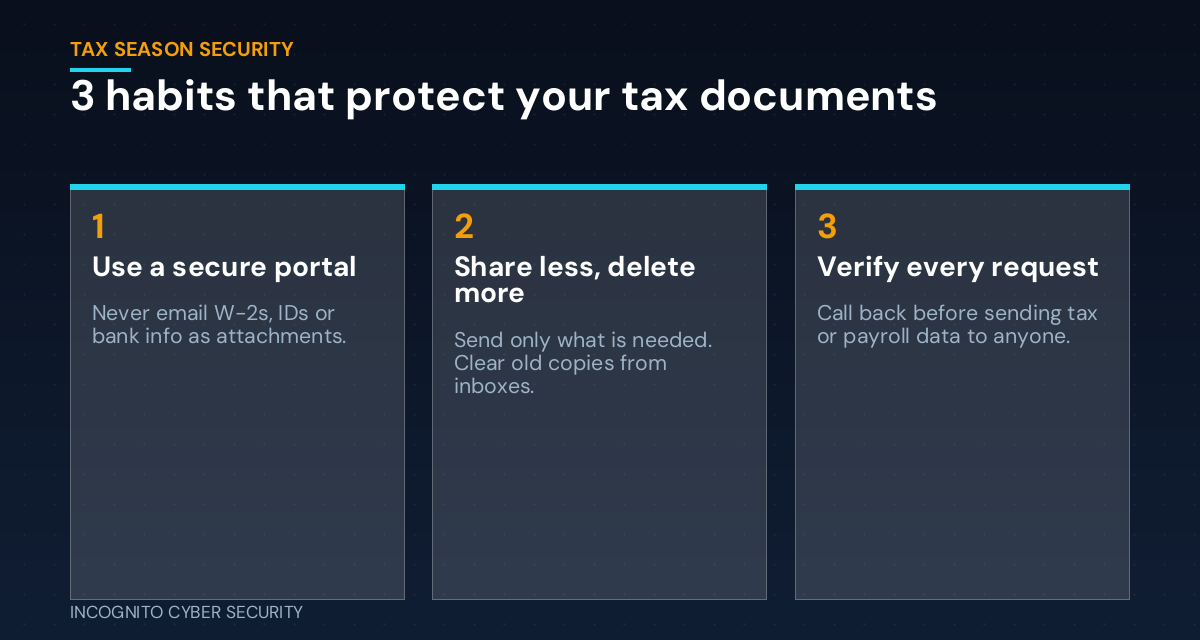
Three habits that protect your tax documents
1. Use a secure portal, not email
Email attachments are the most common way small businesses send tax paperwork, and the riskiest. Once a W-2 or bank statement is attached to an email, it sits in your Sent folder, in the recipient’s inbox, and maybe in a backup somewhere, often for years. If either mailbox gets broken into, the attacker gets all of it. Most accounting and payroll firms offer a secure client portal. Use it, even if it takes two extra minutes.
2. Share less, delete more
Before you send something, ask yourself: does my accountant actually need this? Black out account numbers that aren’t needed. Then go through your inbox and Sent folder and delete old tax attachments that don’t need to live in email. You can’t lose what you don’t have lying around. Keep the originals in one protected place with secure data backups.
3. Verify every request
Tax season brings a well-known scam: an email that looks like it’s from the owner or the accountant asking someone to “send over all the W-2s” or “update the bank info for this year’s refund.” If a request involves tax, payroll, or banking information, call the person back at a number you already have, not the number in the email. This one habit stops a lot of damage, and it’s exactly the kind of thing we cover in cybersecurity awareness training.
Questions to ask your accountant and payroll provider
You’re allowed to ask the people who hold your data how they protect it. A good firm will be glad you asked. Start with these:
- Do you have a secure portal for sending and receiving documents?
- Does your staff use multi-factor authentication on email and client systems?
- How long do you keep my files, and how do you delete them?
- If you have a breach, how and how quickly will you tell me?
If the answers are vague, that tells you something. You don’t have to switch firms tomorrow, but you should know where you stand.
If your information shows up in a breach
Don’t panic, but don’t wait either. Find out exactly what was exposed. Place a fraud alert or credit freeze with the credit bureaus. Watch your bank and business accounts closely. And consider an IRS Identity Protection PIN, a free six-digit code that keeps anyone else from filing a return with your Social Security number. If employee data was involved, tell your staff so they can do the same.
What you can do this week
- Ask your accountant, bookkeeper, and payroll provider whether they have a secure portal, and start using it.
- Search your email for old attachments with “W-2,” “1099,” “tax,” or “bank statement” in the name, and delete the ones that don’t need to be there.
- Set a call-back rule: no tax, payroll, or banking information goes out without a phone confirmation.
- Turn on multi-factor authentication for your email and your accounting software.
- Make sure every computer has current endpoint protection and your email has strong spam and virus filtering.
- Look into IRS Identity Protection PINs for yourself and key staff before filing season starts.
The bottom line
You can’t control your accountant’s security. You can control how much you send, how you send it, and how fast you notice when something is off. Tax season is only a few weeks away, so set these habits now while things are calm. For a broader starting point, look at our small business cybersecurity solutions, read what to do when one of your software vendors gets breached, or browse more plain-English tips on our blog.
Want a tax-season security check-up?
We’ll sit down with you for a free visit, look at how your business sends and stores sensitive documents, and help you set up a safer way to share files with your accountant and payroll provider. No cost, no pressure.
Send us a message
Questions about how you’re sharing tax documents, or a suspicious request sitting in your inbox? Send us a note and we’ll help you sort it out.
— Nemuel Cruz, Incognito Cyber Security