Your Former Employees May Still Have the Keys. Here’s How to Take Them Back.
When someone leaves your company, you take back the office key. Maybe you even change the alarm code. But what about the dozens of digital keys they carried around — email, the shared drive, the accounting software, the Wi-Fi password, the vendor portal? In most small businesses I visit, those keys never get collected.
A new survey reported this week puts hard numbers on it. Augmentt asked 1,007 people who left a job in the last three years whether they could still get into their old employer’s systems. 44% said yes. Of those, 13% said the old login still works today — and nearly two out of three never told their former employer (HR Director).
Small businesses have it worst. A separate Sagiss offboarding report found that 82% of people who left companies with fewer than 250 employees kept at least some access, versus 70% at large companies. At firms with 10 to 49 employees, it was 86%.
With seasonal help wrapping up, year-end resignations, and people moving on in January, this is the right month to fix it.
Why this matters even when everyone left on good terms
Most former employees aren’t planning anything. Honestly, they’re not the main risk.
Forgotten accounts are easy targets
An account nobody uses is an account nobody watches. If a former employee’s password shows up in a breach — or they reused it somewhere else — a criminal can sign in as them and nobody notices for weeks. There’s no one there to see the strange sign-in alert or the odd email sitting in the inbox. Good spam and virus filtering helps, but it can’t protect an account you forgot exists.
Company information keeps flowing out
In the Augmentt survey, 37% of former staff said they still receive company emails, meeting invites, Teams alerts, or shared-file updates. That means customer names, pricing, and internal plans keep landing on a personal phone long after the last paycheck.
The occasional bad exit
Every owner has had one. An employee who leaves angry with access to your customer list, your bank portal, or your website admin is a real problem. It only takes one.
Where leftover access hides
Turning off someone’s Microsoft 365 or Google account is a good start, but it’s rarely the whole picture. Here’s what we usually find still open when we review a small business:
- Email on personal phones. Mail keeps syncing to a device you don’t own.
- Separate logins. QuickBooks, your CRM, scheduling, payroll, social media, and your website each have their own username.
- Shared passwords. The Wi-Fi key, the alarm code, the vendor portal everyone uses, the “office” login on a sticky note.
- Files shared by link. Documents sent to a personal email that are still open to whoever has the link.
- Company devices that were never returned — or came back still signed in.
Temps and contractors are the biggest blind spot. In the Sagiss report, 89% of contract or temporary workers said they still had access after the job ended.
What you can do this week
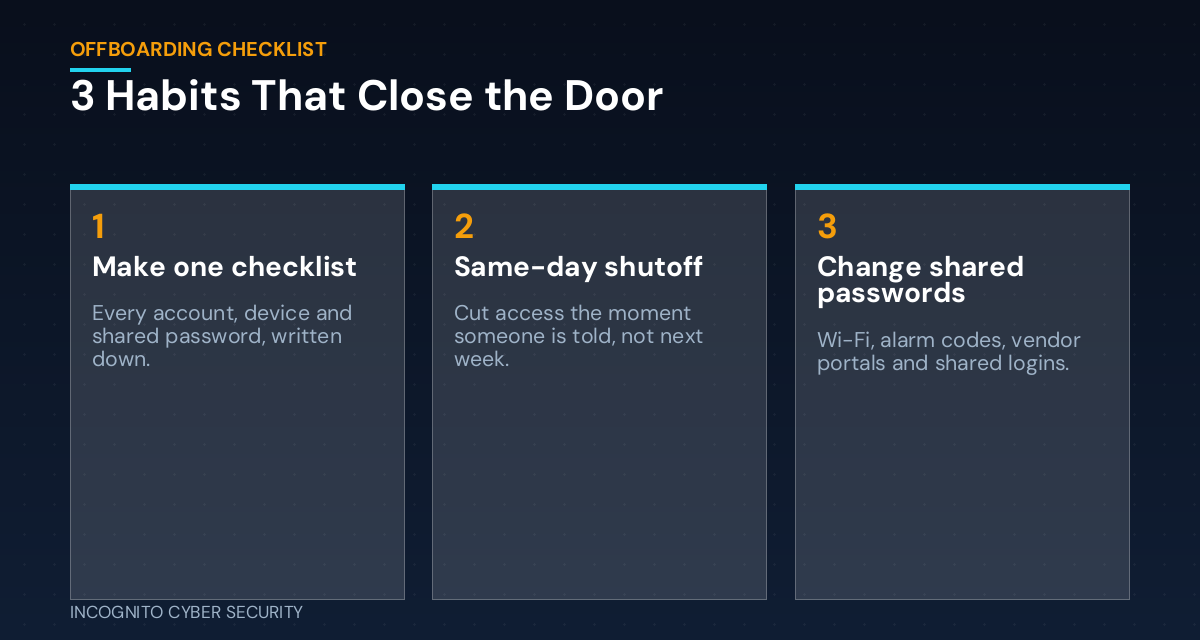
- Build one offboarding checklist. List every system, app, device, and shared password each role touches. If you don’t know what accounts exist, that’s your first project.
- Shut it off the same day. Disable accounts the moment someone is told their job is ending — not at the end of the week. For planned departures, schedule it for the end of their last shift.
- Disable, don’t delete. Block sign-in, reset the password, and forward their email to a manager. Deleting right away can wipe files you still need, so make sure you have secure data backups first.
- Change anything shared. Wi-Fi, alarm and door codes, and any login more than one person uses. A password manager makes this painless — see my post on password managers for small business.
- Collect devices and clean up phones. Get laptops back, then remove company email and apps from personal phones. Managed endpoint protection lets you lock or wipe a lost or unreturned device remotely.
- Audit who has access right now. Pull the list of active accounts in email and your key apps and compare it to today’s staff list. Anyone who doesn’t belong goes. Then teach managers to flag departures to IT right away — it’s part of good cybersecurity awareness.
The bottom line
Offboarding isn’t paperwork. It’s locking the door behind someone. Make one checklist, use it every single time, and run a quick access review twice a year. It’s one of the cheapest security wins a small business can get. You can find more practical guides on our blog.
Not sure who still has access?
We’ll review your accounts, shared passwords, and devices, and build an offboarding checklist that fits your business — so the next departure takes minutes, not guesswork.
Book a complimentary visit → See our small business security solutions
Send us a message
— Nemuel Cruz, Incognito Cyber Security