Your Business Phone Number Can Be Stolen. Here’s How to Lock It.
Here’s a question most business owners have never thought about: what would happen if someone else had your cell phone number tomorrow morning? Not your phone. Your number.
They would get your texts. They would get your calls. And they would get every “your login code is…” message your bank, your email, and your payroll system send you. That’s called a SIM swap, and it’s one of the quietest ways criminals take over a business.
Last week a U.S. court sentenced a 24-year-old member of the hacking group Scattered Spider to six years in prison. According to Malwarebytes, the group texted hundreds of employees links to fake login pages, stole their passwords, and used SIM swaps to grab the text-message codes that were supposed to protect accounts. Prosecutors tied the group to at least a dozen hacked companies and $11.6 million in proceeds. He is the fifth member sentenced in the U.S. case.
The arrests are good news. The playbook isn’t going away. Here’s what it means for your business, in plain English.
What a SIM swap actually is
Your phone number doesn’t really live in your phone. It lives with your carrier, and it’s tied to a small SIM card (or an eSIM) inside the phone. In a SIM swap, a criminal convinces your carrier to move your number to a SIM card they control.
Think of it like someone walking into the post office with a convincing story and getting your mail forwarded to their house. You don’t notice anything for a while. Meanwhile, every letter meant for you lands in their mailbox.
How they pull it off
Usually with a phone call or a store visit, using details about you they found online or bought from an old data breach: your name, address, date of birth, maybe your account number. Sometimes they bribe or fool a carrier employee. Either way, you didn’t click anything. That’s what makes it so frustrating.
Why small businesses should care
Many small businesses run on the owner’s cell phone. It’s the number on the bank account, the recovery number for the company email, the two-step login for the payroll portal, and the number your bookkeeper calls to confirm a payment.
Text codes are the weak spot
Most of us turned on two-step login using text messages. That’s far better than nothing. But if a criminal has your number, those codes go straight to them. Add a password stolen from a phishing text or an old breach, and they can reset your email, then reset everything that email controls. Once inside, they can also lock you out or delete files, which is one more reason we push secure, separate backups.
The first sign is easy to miss
The tell is usually your phone suddenly showing “No Service” or “SOS only” while everyone around you has signal. Most people restart the phone, shrug, and try again later. By then the damage may already be underway.
Where to start: lock the number, then stop relying on it
You can’t control your carrier’s call center. You can make your number harder to steal and less valuable if it is stolen.
Lock it at the carrier
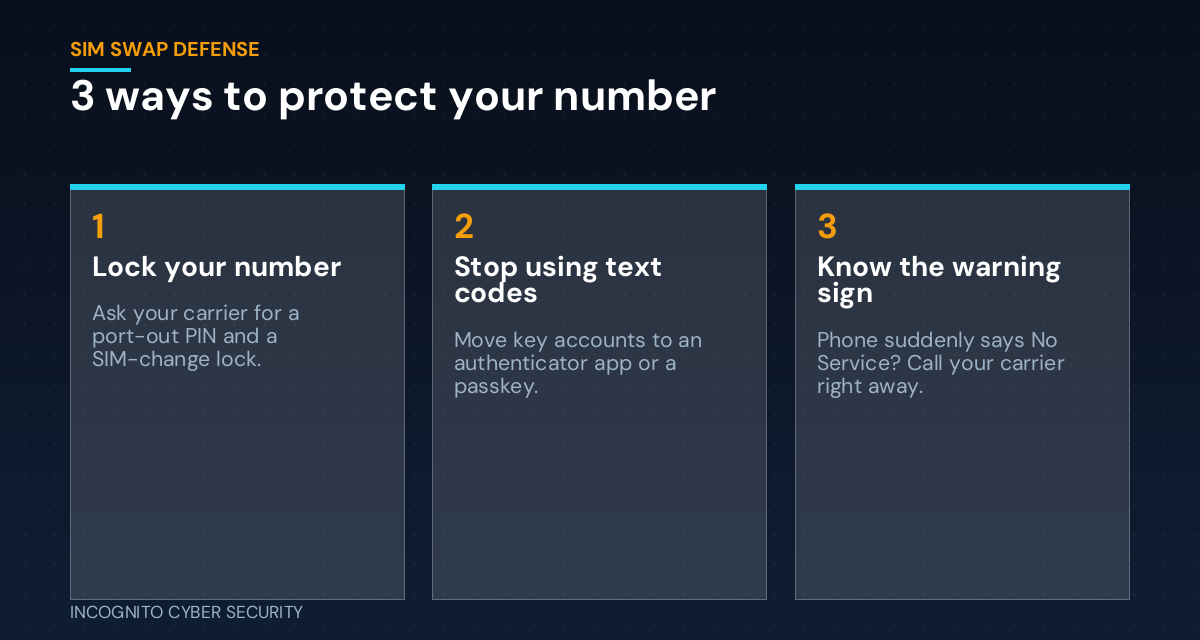
The major U.S. carriers offer some form of account PIN, number-transfer (port-out) PIN, or SIM-change protection. Call yours or log into your account and turn on every one of them. Pick a PIN that isn’t your birthday or the last four digits of anything.
Move important logins off text messages
For email, banking, payroll, and anything that holds money or customer data, switch two-step login from text codes to an authenticator app, a passkey, or a physical security key. We explained why stronger login protection matters in our post on stolen logins and phishing-resistant MFA.
Never approve a prompt you didn’t start
If your phone asks you to approve a sign-in and you weren’t signing in, tap Deny and tell whoever handles your IT. That prompt is the criminal knocking on the door.
What you can do this week
- Call your carrier and turn on the account PIN, number-transfer lock, and SIM-change protection for every company phone line, including yours.
- List the accounts that text you codes: email, bank, payroll, accounting, and your website or domain. Those are your priority.
- Switch those accounts to an authenticator app or passkey, starting with email, since email can reset everything else.
- Make a “No Service” rule: if a work phone loses service for no clear reason, call the carrier from another phone right away, then call IT.
- Remind your team that the company will never text a link asking them to log in. Our cybersecurity awareness training covers exactly this, and good spam and virus filtering plus endpoint protection stop many of those phishing links before anyone clicks.
- Trim what’s public: limit birthdays, personal phone numbers, and home addresses on social profiles and your company website. Less to work with means a harder sell at the carrier.
The bottom line
Your phone number has quietly become a master key to your business. Criminals know it, and as the Scattered Spider case shows, they’ll put real effort into getting it. Lock the number with your carrier, move your most important logins off text messages, and treat a sudden “No Service” as an emergency. Those three habits take an afternoon and close one of the easiest doors into your company. If you want help putting them in place, that’s what our small business cybersecurity solutions are built for, and you can find more plain-English guides on our blog.
Not sure which accounts still rely on text codes?
We’ll review your logins, your phone lines, and your carrier settings, then show you exactly what to fix first. No jargon, no pressure.
Send us a message
— Nemuel Cruz, Incognito Cyber Security