October 13: The Microsoft Deadline That Could Leave Your Business Exposed
Quick question: how many computers in your office are still running Windows 10? If you just paused to count, keep reading. A second Microsoft deadline lands on October 13, and it affects both your PCs and the Office software your team uses every day.
What actually happens on October 13
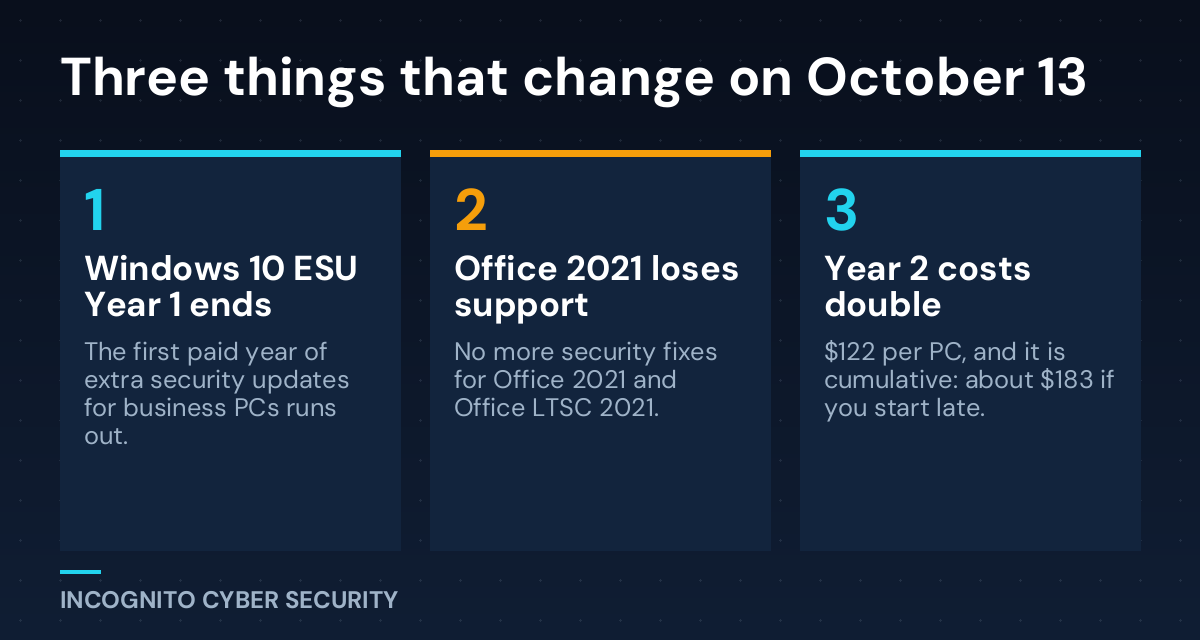
Windows 10 officially lost regular support in October 2025. Since then, businesses that wanted to keep getting security patches had to pay for something called Extended Security Updates, or ESU. Think of ESU like paying a mechanic to keep an old truck on the road after the manufacturer stopped making parts. It works, but only as long as you keep paying, and the bill goes up every year.
According to Microsoft’s own documentation, the first year of business ESU coverage ends this October. Year one cost $61 per device. Year two costs $122 per device, and year three costs $244.
The catch: you cannot skip a year
ESU is cumulative. If you never enrolled and decide to sign up now, Microsoft says you have to pay for year one too. That is roughly $183 per computer before you get a single year-two patch. For an office with 15 older PCs, that is close to $2,750, and you would still be running unsupported-by-default hardware.
Office 2021 has its own deadline
On the same day, Microsoft ends support for Office LTSC 2021. No more bug fixes, no more security updates. If your team uses the one-time-purchase version of Office 2021, Word, Excel, and Outlook become a soft target the day after.
Why this matters more than it sounds
Hackers love end-of-life software. Every new flaw found after the deadline stays open forever, and criminals know exactly which businesses are still running old versions. They do not need to be clever. They just wait for a newly discovered hole and scan the internet for offices that never patched it.
The risks for a small business are very practical:
- Ransomware: unpatched PCs are a common way in. If you have read my post on why set-it-and-forget-it gear attracts attackers, this is the same story.
- Cyber insurance: many carriers ask whether you run unsupported software. A wrong answer, or a denied claim, can cost far more than new computers.
- Software that stops working: your accounting, line-of-business, and security tools will eventually drop support for old Windows too.
What you can do this week
- Count your computers. List every PC, including the back-office one nobody thinks about, and note whether it runs Windows 10 or Windows 11.
- Check which PCs can upgrade. Most computers bought in the last four or five years can move to Windows 11 for free. Older ones may not qualify.
- Find your Office version. Open any Office app, go to File, then Account. If it says Office 2021 or LTSC 2021, put it on your upgrade list.
- Decide: upgrade, replace, or pay for ESU. ESU is a short bridge, not a plan. Replacing a five-year-old PC is usually cheaper than two more years of patches.
- Protect what you cannot replace yet. Old machines that must stay should be isolated, have good endpoint protection, and never hold your only copy of anything.
- Verify your backups. Before any upgrade, confirm your secure data backups actually restore.
- Warn your team. Upgrades change how screens look, and scammers love that. A quick awareness refresher and solid spam and virus filtering help stop fake “update now” emails.
The bottom line
October 13 is not a disaster date. Your computers will not stop working. What changes is that Microsoft stops fixing new problems, and attackers keep finding them. A small business that plans this now pays a predictable, one-time cost. One that waits pays more, and sometimes pays after a breach. If you want the bigger picture, our small business cyber security solutions page shows how we handle this for clients, and you can always browse more plain-English tips on our blog.
Not sure which of your PCs are at risk?
We will walk through your office, list every device and Office version, and give you a simple upgrade plan with real costs. No pressure, no jargon.
Send us a message
Sources: Microsoft Learn: Windows 10 ESU program; Microsoft Lifecycle: Office LTSC 2021 end of support.
— Nemuel Cruz, Incognito Cyber Security