Microsoft 365 Went Down for Almost Two Days. Could Your Business Keep Working?
Last Thursday around lunchtime, a lot of offices in Tucson and across the country hit refresh on Outlook and got nothing. No new email. Teams calls dropping. Files in OneDrive that wouldn’t open. For many businesses, it stayed that way into Friday.
It wasn’t a hack. It was a change inside Microsoft that went wrong. But here’s what I want you to take from it: for a day and a half, a huge number of small businesses found out they had no plan for working without email. If that was you, you’re in good company, and this is the week to fix it.
What happened
On November 12, Microsoft 365 started failing worldwide. According to TechRadar’s live coverage, Downdetector logged more than 131,000 Outlook problem reports in the U.S. at the peak, and the disruption reached at least 74 countries. Outlook, Teams, OneDrive and Copilot were all affected.
Microsoft called it a technical issue, not a cyberattack. A recent network change caused servers to fail their health checks, which piled extra load on the servers that were still working. Service came back in stages on November 13, and Microsoft stretched its email delivery window to 48 hours so delayed messages could still arrive. A summary of the outage notes that hospitals, courts and government offices in several countries had to fall back to paper.
If hospitals had to pull out paper charts, it’s fair to ask: what did your front desk do?
Why an outage is a security problem, too
You might be thinking, “Nemuel, this was an outage, not an attack. Why is a security guy writing about it?” Two reasons.
Scammers move in the minute things break
During the outage, fake texts and emails started going around telling people to “reset your password” or “click here to restore Outlook access.” Microsoft doesn’t send those. When people are frustrated and want things working again, they click faster and think less. That’s exactly what scammers count on.
Staying open is part of security
Security isn’t only about keeping bad guys out. It’s about keeping your business running no matter what happens: a hacker, ransomware, a vendor outage, or a backhoe cutting your internet line. The plan that gets you through an outage is the same plan that gets you through an attack.
The plan most small businesses don’t have
Think of it like a power outage at home. You don’t keep a flashlight in the kitchen drawer because you expect the lights to go out every week. You keep it there so that when they do, you’re not stumbling around in the dark. Here are your flashlights.
A second way to reach your people
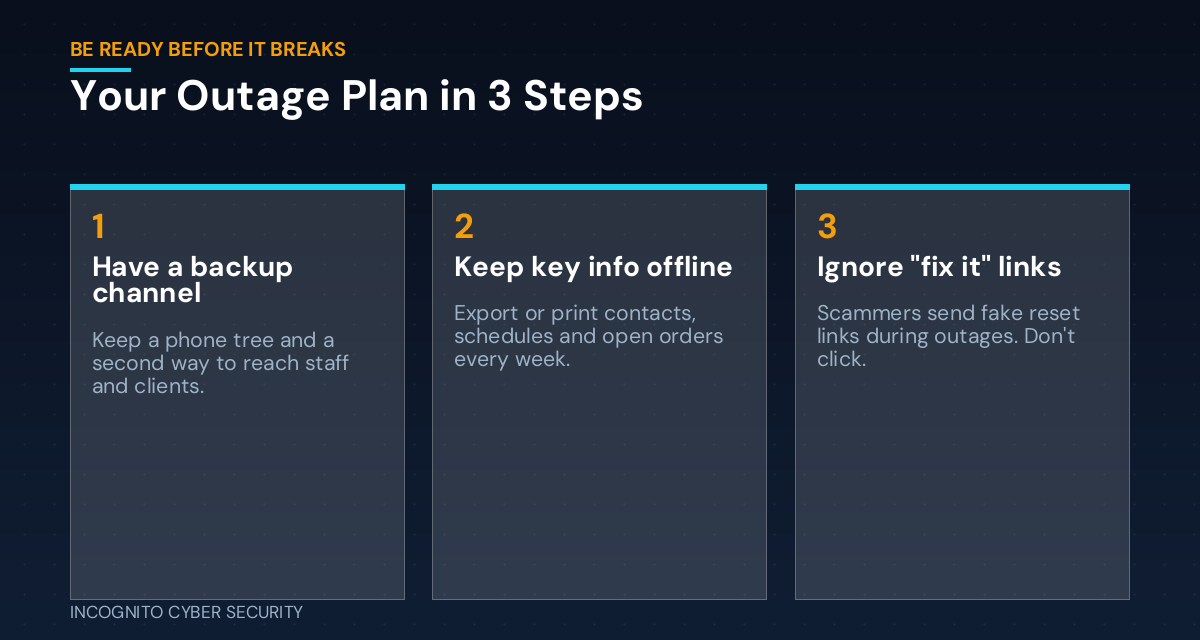
If your whole team lives in Outlook and Teams, an outage leaves everyone guessing. Keep a simple phone list (on paper and in everyone’s phone) and agree ahead of time on a backup channel, like a group text, that you only use when the main system is down.
The information you need, without the cloud
What would you need to get through one day? Usually it’s customer phone numbers, today’s appointments, open orders and key vendor contacts. Export that once a week and keep a copy you can reach without logging in to Microsoft. It’s the same reason we push secure, separate backups: your data shouldn’t live in only one place.
Someone who decides, and someone who tells customers
Decide now who calls it an outage, who checks Microsoft’s official status page, and who lets customers know you’re still open. A short note like “Our email is delayed today, please call us at…” on your website and voicemail saves a lot of lost business.
What you can do this week
- Write your “email is down” plan on one page: who to call, how to reach staff, and where the backup info lives.
- Set up a backup channel for your team and test it once, so everyone knows it exists.
- Export your critical contacts and schedule weekly to a place you can reach without Microsoft 365.
- Give your staff one rule: during any outage, nobody clicks a “restore access” or “reset password” link from an email or text. Go to the official site directly or call IT. A little security awareness training makes this stick.
- Check your filters and devices. Good spam and virus filtering and endpoint protection catch many of these fake “fix it” messages before your team ever sees them.
- Review your incident plan. If you don’t have one, start with our post on what to do in the first two hours after a bad click. The same thinking applies here.
The bottom line
Every cloud service goes down eventually, even Microsoft. You can’t stop that. What you can control is whether your business stops with it. One page of planning and one weekly export can turn a lost day into a minor annoyance, and keep your team from clicking on the scams that always show up afterward. You’ll find more plain-English tips on our blog.
Not sure what your business would do if email went down tomorrow?
We help small businesses across Southern Arizona build simple, practical plans to keep running through outages and attacks, plus the security tools that keep scammers out. Let’s take a look together.
Send us a message
Questions about your own setup? Send us a note and we’ll get back to you.
— Nemuel Cruz, Incognito Cyber Security